Streakwall
- nextjs
- typescript
- vercel-og
- github-api
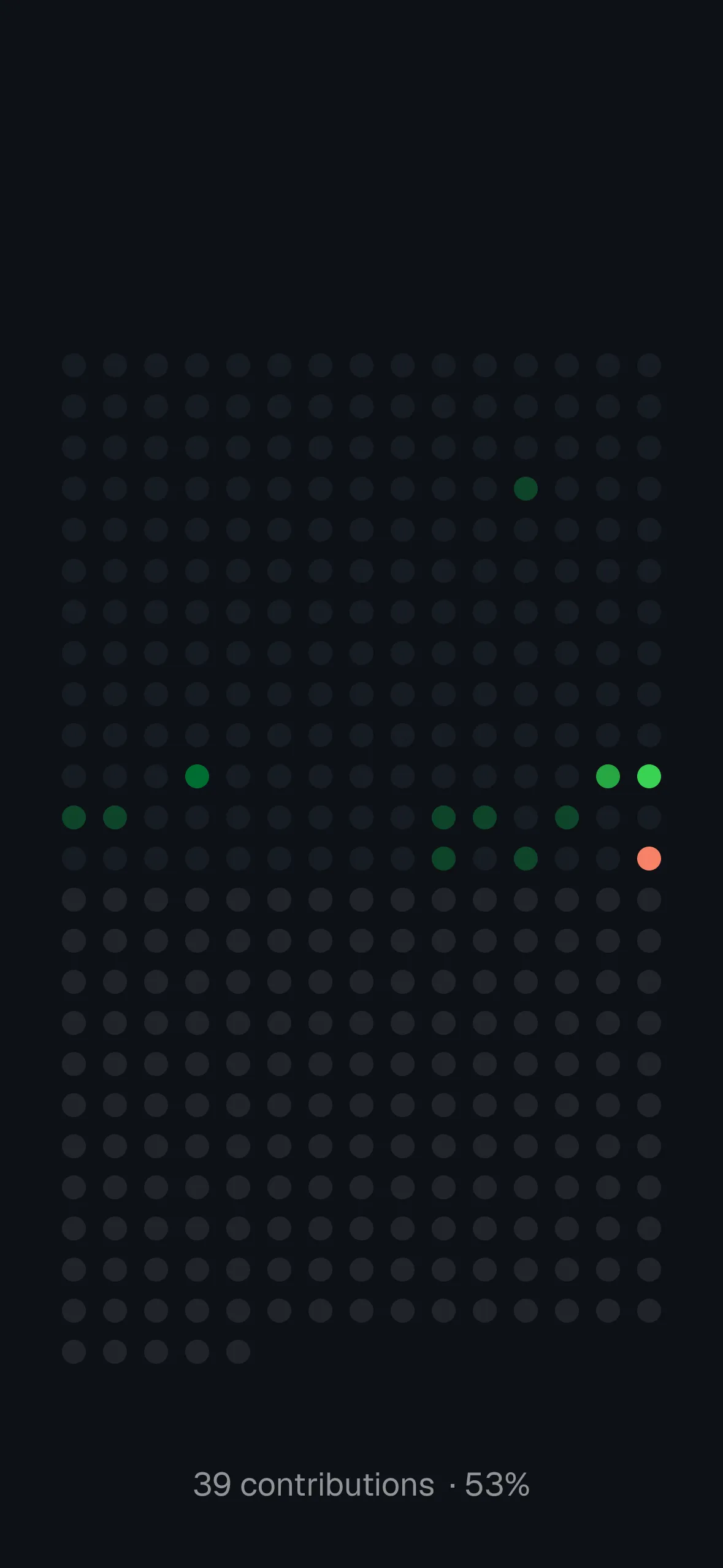
A full-year GitHub contribution graph, rendered as a 15-column dot grid and turned into an iOS lock-screen wallpaper — each dot is a day, colored by contribution intensity, with today highlighted and a “contributions · % of year” readout at the bottom.
You don’t need any code to use this — just your GitHub username and the Shortcuts app on your iPhone.
1. Get your wallpaper URL
https://github-contribution-wallpaper.vercel.app/api?user=YOUR_GITHUB_USERNAME&width=1179&height=2556Replace YOUR_GITHUB_USERNAME with your GitHub handle. Adjust width/height to match your device if it isn’t an iPhone 14/15/16 (the default 1179x2556 covers those).
2. Set up daily auto-updating via Shortcuts
- Open the Shortcuts app on your iPhone.
- Go to the Automation tab → + → Create Personal Automation → Time of Day, pick a time (e.g. every morning), set it to repeat Daily, then choose Run Immediately → Create New Shortcut.
- Add the Get Contents of URL action, and paste your URL from step 1.
- Add the Set Wallpaper Photo action underneath it, and choose Lock Screen.
- Tap the arrow (→) on the Set Wallpaper Photo action to show its options, and disable both Crop to Subject and Show Preview — this lets it apply silently without cropping the image or asking for confirmation each time.
Built on Next.js’s App Router, with the image rendered on the edge via @vercel/og and contribution data pulled live from GitHub’s GraphQL API (cached for an hour, no database).